Process Information
Introduction
The Process Information customization enables you to create dedicated information pages for your processes that appear in Portal’s process list and on process cards.
By defining the portalProcessInfo custom field with HTML-supported CMS content, you can provide users with detailed process descriptions, prerequisites, and guidance before they start a workflow.
If the field is empty or the CMS object cannot be resolved, Portal will not show an information page for that process.
Define Your Own Process Information Page
Define a custom field
portalProcessInfoin Custom Fields of the process start.Define value for
portalProcessInfoPlace HTML content in a CMS object under the
cms/folder and use a capitalized name per standards. Keep the content concise and accessible; basic HTML is supported.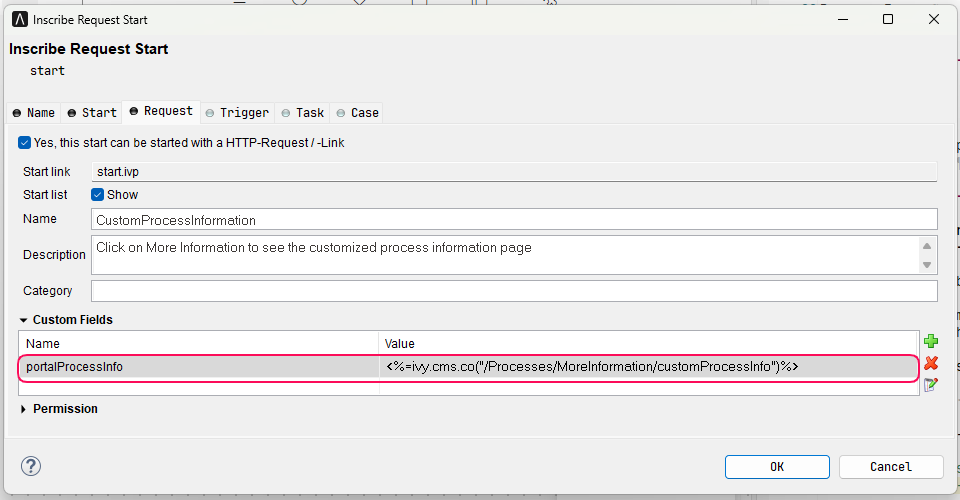
Tip
You can directly define the value for
portalProcessInfoon the process start, however we recommend storing it in a CMS object (HTML supported) for easier maintenance across environments.
Note
Changes to CMS content may be cached. If updates don’t appear immediately, clear the engine cache or redeploy your project.
Visibility depends on process permissions; users without access won’t see the information page.