Error Handling
Portal provides comprehensive error handling mechanisms to improve user experience when errors occur. This guide explains the different error types and how to configure custom error pages.
Overview
Error Type |
When It Occurs |
Portal Solution |
|---|---|---|
Ajax Error |
During JSF Ajax requests |
Error notification with exception details |
Non-Ajax Error |
HTTP 404, 500, or page load exceptions |
Custom user-friendly error pages |
Error Types
Ajax Error
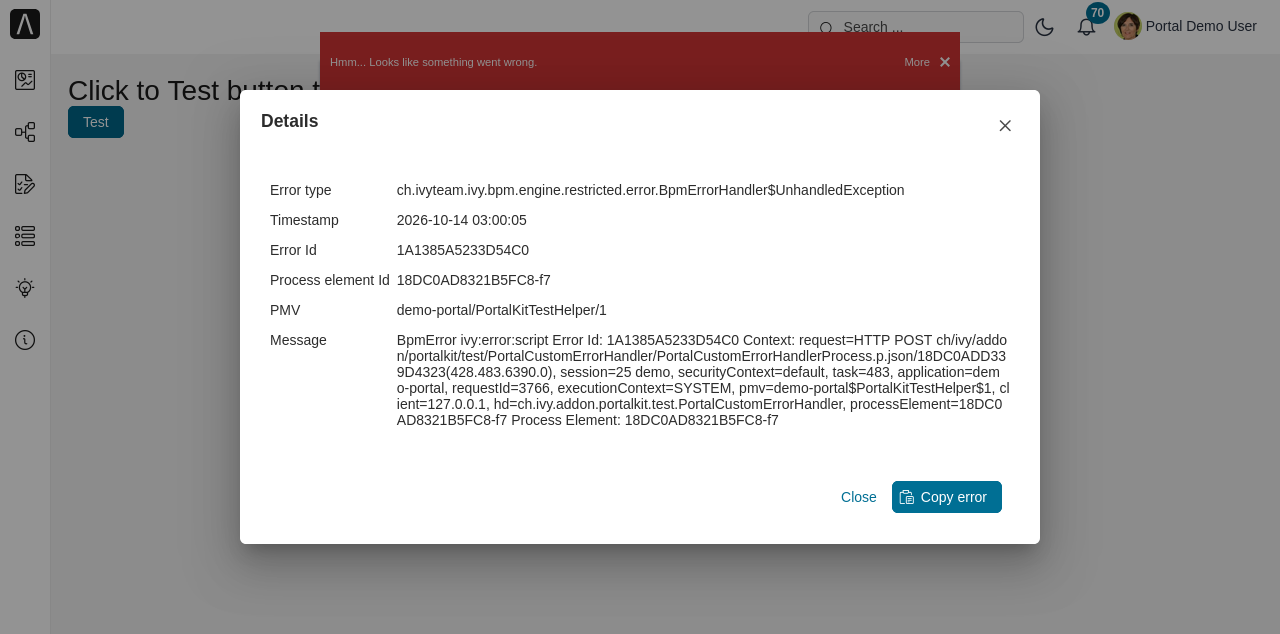
Occurs during a JSF Ajax request, such as when clicking the “Show Full Mode” button to switch a task widget to full mode. Without proper error handling, users receive no feedback if the action was unsuccessful.
Non-Ajax Error
Occurs when a user accesses the Portal via a URL that cannot be processed successfully by the server, or when navigating to a corrupt URL. For example, clicking a link to start a task that does not exist.
Ajax Error Handling
How It Works
Portal automatically handles all exceptions generated by Ajax requests:
Error Notification: Shows exception type and message to the end user
Exception Details: Available by clicking the
Morelink in the error messageStacktrace Display: Controlled by the Ivy system property
Errors.ShowDetailsToEndUser
Example
When an Ajax error occurs, users see a clear error notification:
Non-Ajax Error Handling
The Problem
By default, when the server encounters errors such as HTTP 404, HTTP 500, or exceptions while loading a page, the Axon Ivy Engine shows a default error page:
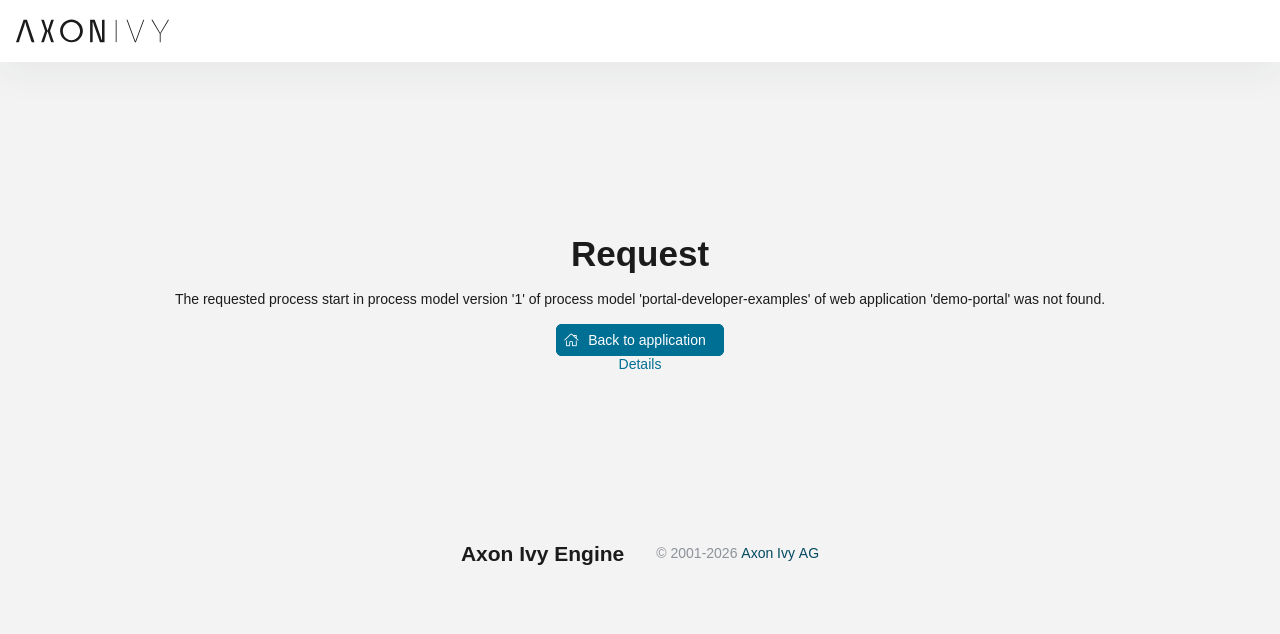
This default error page is not user-friendly. Portal provides custom error pages with a better user experience.
Prerequisites
Access to Axon Ivy Engine file system
Permission to modify
web.xmlin the configuration folderPortal application deployed and running
HowTo: Configure Custom Error Pages
Follow these steps to configure custom Portal error pages on your Axon Ivy Engine.
Step 1: Create Error Page Files
Create two XHTML files in your engine’s webapps/ivy folder:
File: ivy-portal-404-error-page.xhtml
<html xmlns="http://www.w3.org/1999/xhtml"
  xmlns:f="http://xmlns.jcp.org/jsf/core"
  xmlns:h="http://xmlns.jcp.org/jsf/html"
  xmlns:ui="http://xmlns.jcp.org/jsf/facelets"
  xmlns:p="http://primefaces.org/ui"
  xmlns:pe="http://primefaces.org/ui/extensions"
  xmlns:pm="http://primefaces.org/mobile"
  xmlns:c="http://xmlns.jcp.org/jsp/jstl/core">
<body>
    <!--
    This page navigates to the predefined 404 error page provided by Portal.

    Configure these variables for your environment:
    1. processModel: The name of the Portal application (default: "portal")
    2. requestPath: The process start link for the error page (default: "1549F58C18A6C562/Error404Page.ivp")
    -->

    <ui:param name="processModel" value="portal"/>
    <ui:param name="requestPath" value="1549F58C18A6C562/Error404Page.ivp"/>

    <script>
        var errorURL = "#{facesContext.externalContext.requestContextPath}/pro/#{processModel}/#{requestPath}";
        // Check if page is opened in IFrame
        if (window.location !== window.parent.location) {
            // The page is in an iframe
            window.top.location.href = errorURL;
        } else {
            window.open(errorURL,"_self");
        }
    </script>
</body>
</html>
File: ivy-portal-500-error-page.xhtml
<html xmlns="http://www.w3.org/1999/xhtml"
  xmlns:f="http://xmlns.jcp.org/jsf/core"
  xmlns:h="http://xmlns.jcp.org/jsf/html"
  xmlns:ui="http://xmlns.jcp.org/jsf/facelets"
  xmlns:p="http://primefaces.org/ui"
  xmlns:pe="http://primefaces.org/ui/extensions"
  xmlns:pm="http://primefaces.org/mobile"
  xmlns:c="http://xmlns.jcp.org/jsp/jstl/core">
<body>
    <!--
    This page navigates to the predefined 500 error page provided by Portal.

    Configure these variables for your environment:
    1. processModel: The name of the Portal application (default: "portal")
    2. requestPath: The process start link for the error page (default: "1549F58C18A6C562/Error500Page.ivp")
    -->

    <ui:param name="processModel" value="portal"/>
    <ui:param name="requestPath" value="1549F58C18A6C562/Error500Page.ivp"/>

    <c:set target="#{flash}" value="#{errorPage.message}" property="errorMessage"/>
    <c:set target="#{flash}" value="#{errorPage.getStackTrace()}" property="errorStackTrace"/>
    <script>
        var errorURL = "#{facesContext.externalContext.requestContextPath}/pro/#{processModel}/#{requestPath}";
        // Check if page is opened in IFrame
        if (window.location !== window.parent.location) {
            // The page is in an iframe
            window.top.location.href = errorURL;
        } else {
            window.open(errorURL,"_self");
        }
    </script>
</body>
</html>
Step 2: Update web.xml
Add the following error page configuration to your web.xml file (located in the configuration folder):
<error-page>
    <error-code>404</error-code>
    <location>/faces/ivy-portal-404-error-page.xhtml</location>
</error-page>
<error-page>
    <error-code>500</error-code>
    <location>/faces/ivy-portal-500-error-page.xhtml</location>
</error-page>
<error-page>
    <exception-type>java.lang.Throwable</exception-type>
    <location>/faces/ivy-portal-500-error-page.xhtml</location>
</error-page>
Step 3: Restart Engine
Restart your Axon Ivy Engine for the changes to take effect.
Tip
If you deploy Portal with a custom application name, update the processModel parameter in both XHTML files to match your Portal application name.
Result
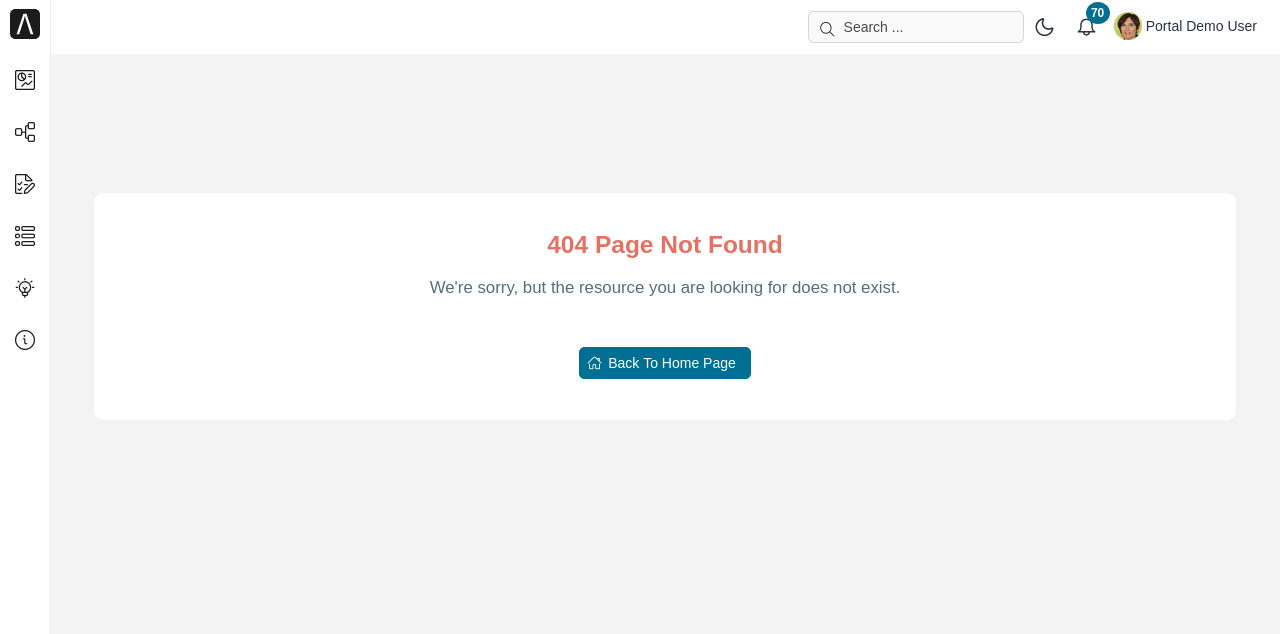
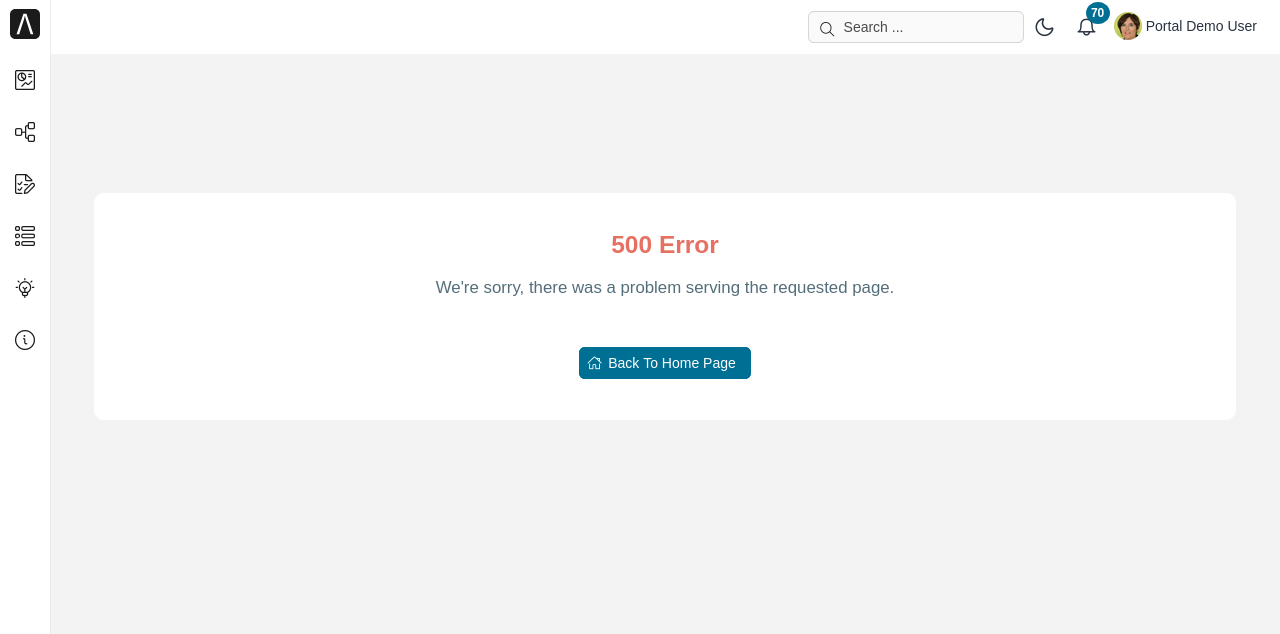
After configuration, users see custom error pages with a user-friendly design.
HTTP 404 - Page Not Found
Shown when a requested page or resource doesn’t exist:
Tip
Test by navigating to a non-existent URL: http://your-server/404
HTTP 500 - Server Error
Shown when an internal server error occurs:
Tip
Test by navigating to: http://your-server/500